
Pocket Play: 4K Video Player
4K/8K Cinema Engine, Read-Only Google Drive Streaming & Local Wi-Fi Quick Share
Pocket Play (com.digibee.pocketplay) is a flagship multi-form-factor cinema video player engineered by Digibee for Android smartphones, tablets, and big-screen Android TVs. Built on AndroidX Media3 ExoPlayer with hardware-accelerated decoding, Pocket Play plays 4K/8K MKV, MP4, WebM, AVI, MOV, FLAC, HLS, and DASH streams effortlessly—while giving you optional read-only Google Drive video streaming and instant local Wi-Fi file transfers with zero external servers, zero ads, and zero tracking.
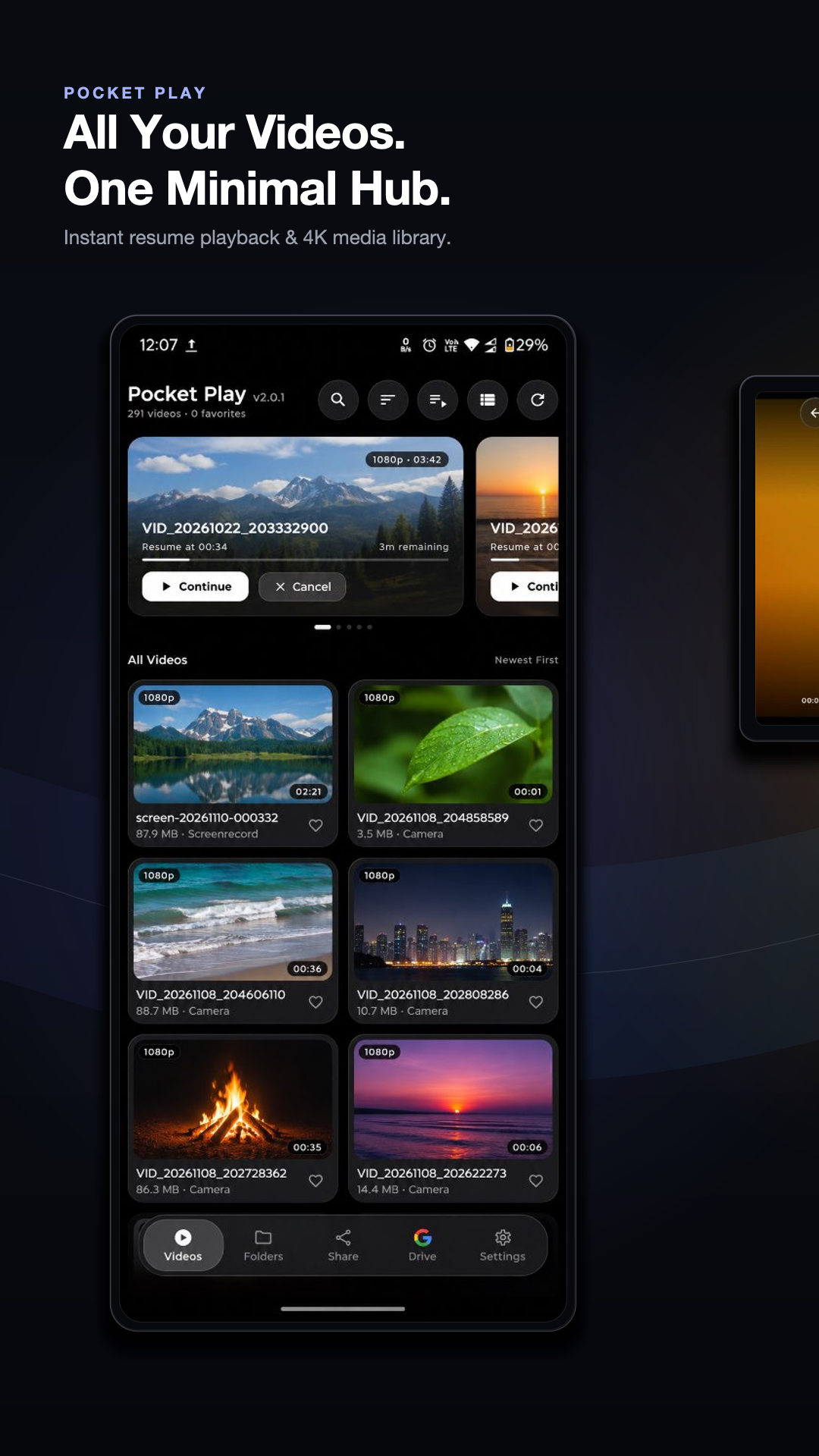
Smart Media Library & Continue Watching
Auto-indexed local videos with instant resume playback, duration badges, and crisp thumbnails.
Built Natively for Android TV & Living Room Cinema
Full D-Pad remote navigation, Leanback launcher banner, big-screen 4K HDR playback, and seamless Google Drive & Wi-Fi Quick Share on Android TV.
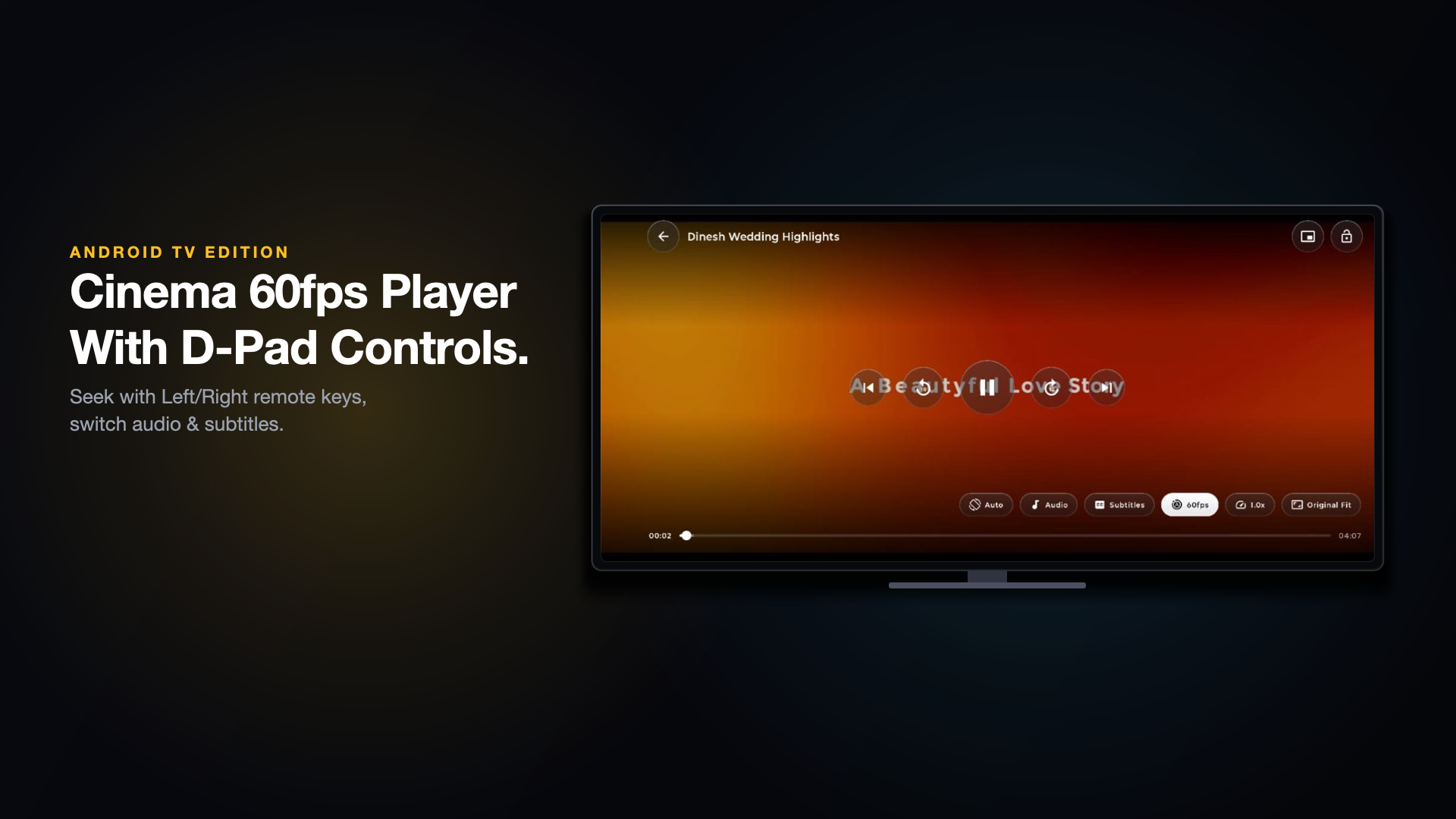 Android TV • 1080p/4K
Android TV 4K Cinema Playback
Full remote D-Pad scrubbing, multi-audio & custom subtitle styling on 10-foot TV displays.
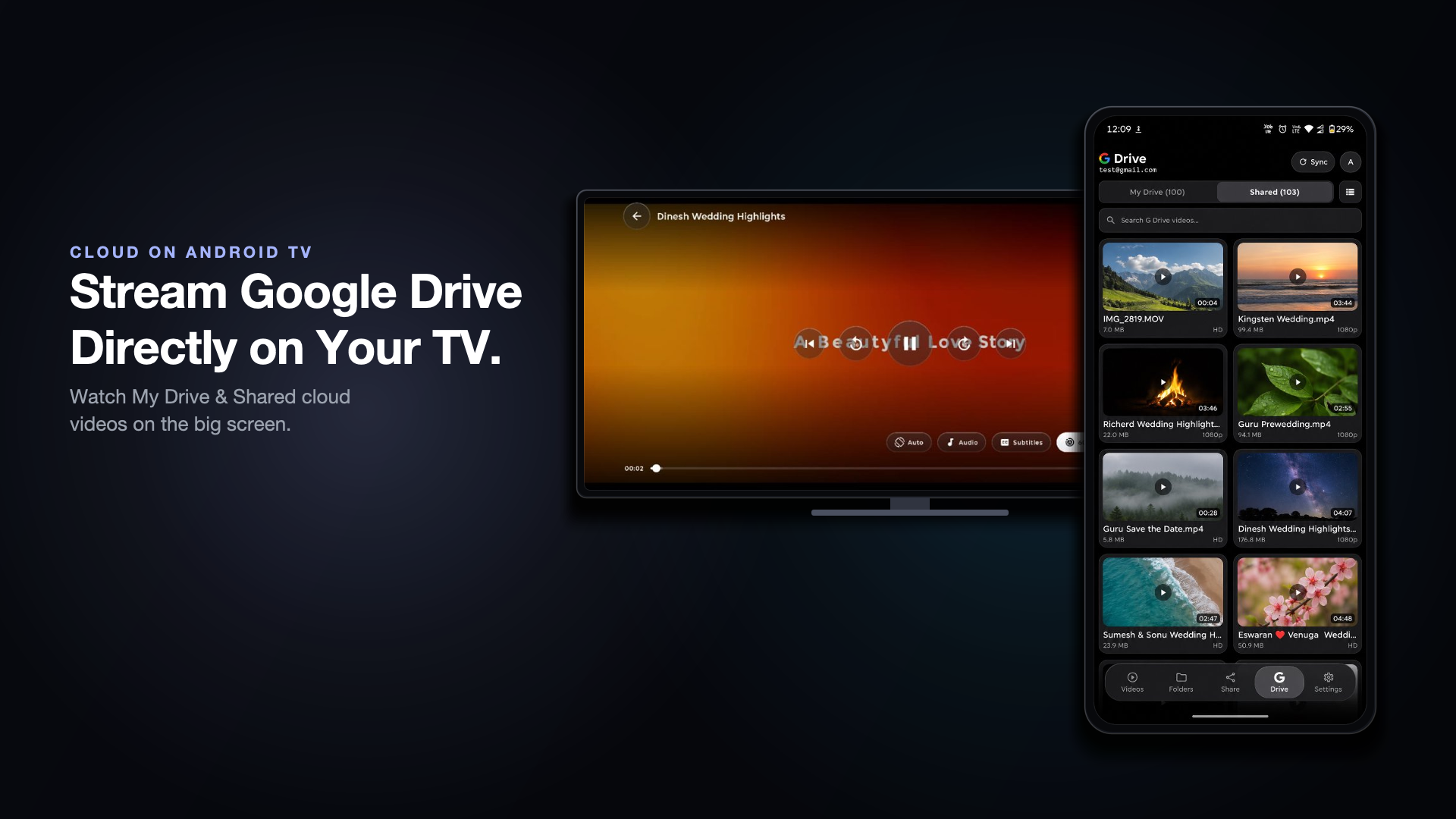 Android TV • Cloud Drive
Cloud Drive Streaming on TV
Stream personal Google Drive movies directly to your living room TV in strict read-only mode.
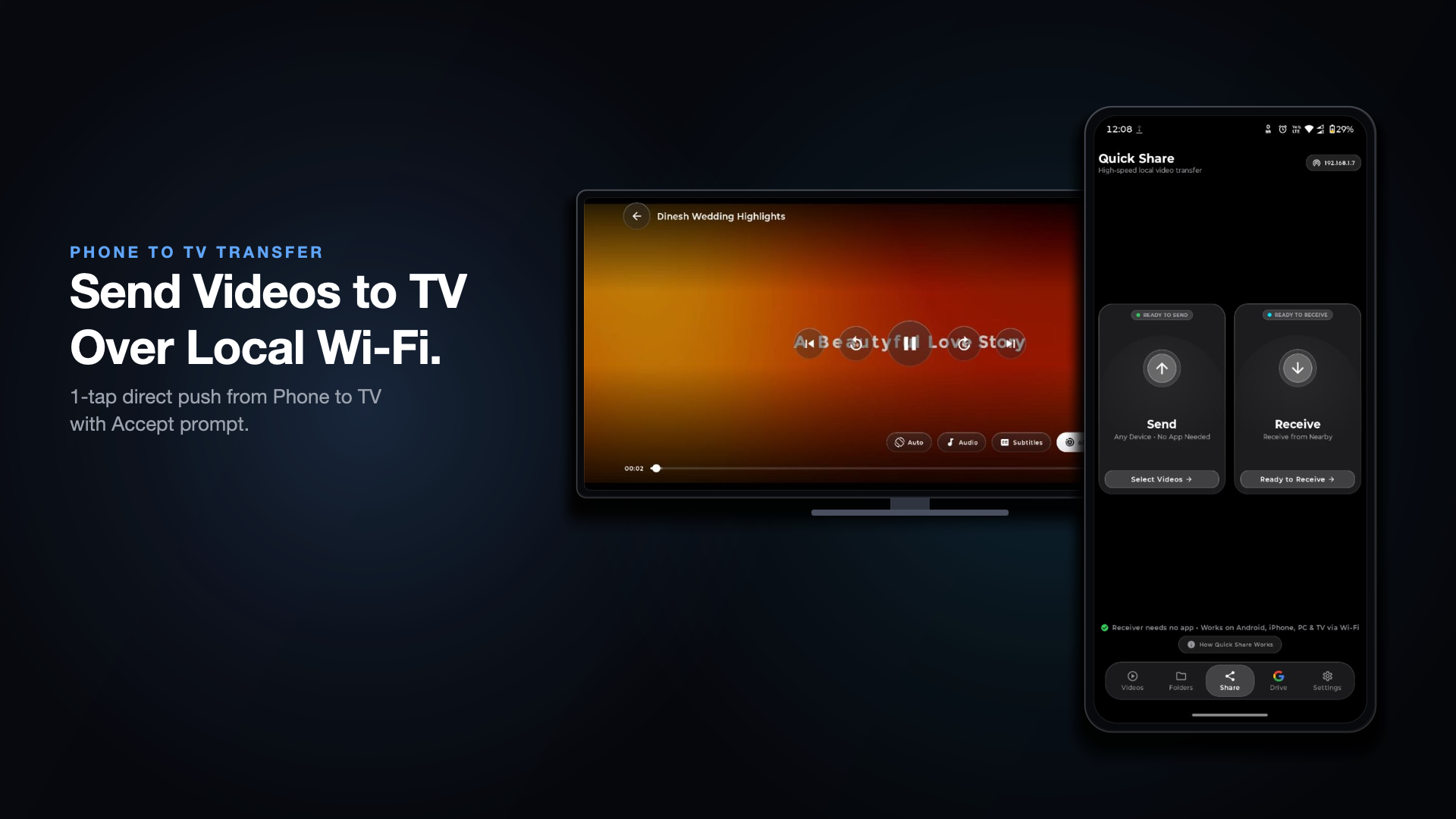 Android TV • Quick Share
Phone-to-TV Local Wi-Fi Transfer
Scan the on-screen QR code to beam videos straight from your phone to Android TV over LAN.
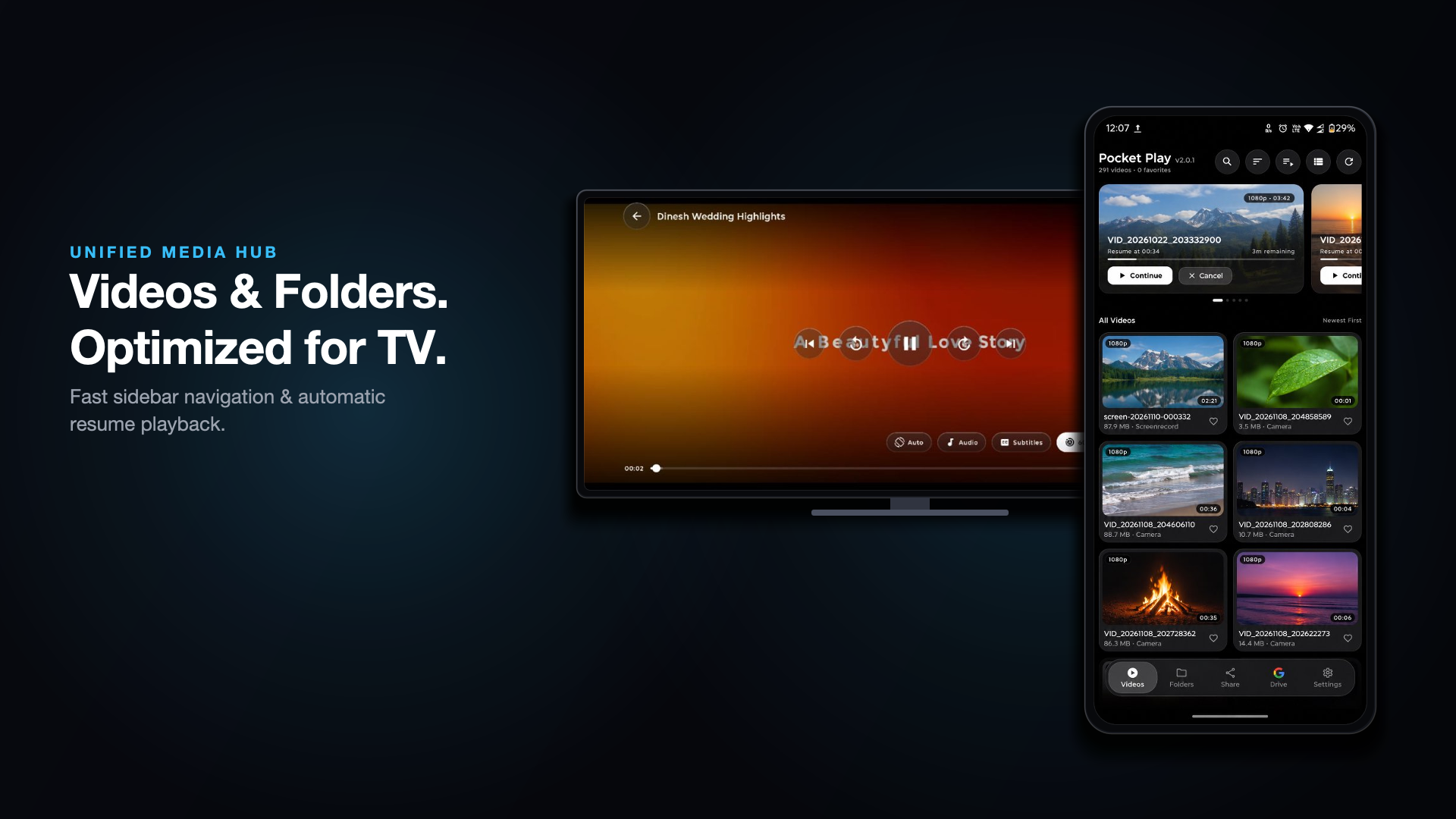 Android TV • Library
Leanback Widescreen Media Grid
Liquid-glass dark cinema interface tailored for OLED and QLED televisions.
Core Features & Functionality
Thoughtfully engineered in Kotlin & Jetpack Compose with strict local-first performance.
4K/8K & HDR Media3 ExoPlayer
Hardware-accelerated playback for MKV, MP4, WebM, AVI, MOV, TS, HLS & DASH with multi-track audio, subtitle sync, and 60fps motion smoothing.
Read-Only Google Drive Streaming
Connect your Google Account via strict drive.readonly scope to browse and stream your personal cloud videos with zero local storage overhead.
Local Wi-Fi Quick Share (QR)
Transfer gigabyte-sized 4K videos between Android phones, tablets, and Android TV over local Wi-Fi without using mobile data or cloud uploads.
Native Android TV Leanback UI
Purpose-built 10-foot TV interface with full D-Pad remote navigation, Continue Watching row, and dedicated TV home banner.
PiP, Background Play & Gestures
Intuitive vertical swipe gestures for brightness & volume, horizontal seek, double-tap skip, Picture-in-Picture multitasking, and background audio.
100% Client-Only & Zero Ads
Zero developer backend servers, zero third-party ad SDKs, and zero analytics trackers. Your media and Google credentials stay strictly on your device.
How to Use Pocket Play
Get started in seconds with zero account registration or complex setup.
Install & Grant Local Video Access
Download Pocket Play from Google Play on your Android Phone, Tablet, or Android TV and grant local media permission (READ_MEDIA_VIDEO) to auto-index your device videos and folders.
Play in 4K with Gesture & Cinema Controls
Tap any video to launch the hardware-accelerated player. Swipe left/right sides to adjust brightness or volume, switch audio/subtitle tracks, or pop out into Picture-in-Picture (PiP).
Stream from Google Drive (Optional)
Open the Cloud Drive tab and sign in with Google. Pocket Play uses strict read-only access (drive.readonly) to list and stream your My Drive & Shared videos directly into ExoPlayer.
Transfer Videos via Wi-Fi Quick Share
Connect two devices to the same Wi-Fi or mobile hotspot, open Quick Share, and scan the QR code to beam full-resolution videos across Phone, Tablet, or Android TV.
Built on Strict Local-First Privacy
Every Digibee app ships with a transparent, standalone Privacy Policy and Terms of Service compliant with Google Play Data Safety and Google API Limited Use standards.
Frequently Asked Questions
Everything you need to know about Pocket Play: 4K Video Player.
More Official Apps by Digibee
Explore our complete Google Play portfolio and 33+ free browser utilities at digibee.in/tools.
Battery Care - Smart Health
Extend your smartphone's Lithium-Ion battery lifespan by up to 3X. Real-time charge & drain velocity (+%/hr), spoken voice milestone alerts, 7-day timeline analytics, 20+ large accessible widgets, and 100% offline privacy.
Minimal Concentric Watch Face
Precision concentric dial smartwatch face engineered for Wear OS by Google. Features native declarative Watch Face Format (WFF) rendering, ultra-low pixel-lit Always-On Display (AOD), crisp glanceable typography, and customizable health complications.
ArrowFlow: Arrow Escape Puzzle
Untangle interlocking directional arrows and clear intricate silhouette grids at silky 60fps! Features infinite progressive stages, 5 studio themes, pinch-to-zoom precision, friend challenge cards, and offline play.